Lost TV Picture: Common Causes and Troubleshooting
Lost TV Picture: Common Causes and Troubleshooting
Lost TV Picture: Common Causes and Troubleshooting
Having a problem with your TV screen going blank or losing its image can be frustrating. Several factors can cause this issue, and it’s essential to understand the potential causes and troubleshoot the problem. Below, we will explore some of the most common reasons behind a lost TV picture and how to address them.
1. Faulty Cable Connections
One of the most common reasons for a lost TV picture is a loose or faulty cable connection. HDMI, antenna, and other video cables can become disconnected or damaged over time. When this happens, the TV may lose the signal, resulting in a blank screen.
Solution:
- Check all cables (HDMI, VGA, antenna, etc.) and ensure they are securely connected.
- Inspect the cables for visible damage and replace them if necessary.
- Try using a different port on your TV or a different cable to see if the issue persists.

Lost TV Picture: Common Causes and Troubleshooting
2. Signal Loss from External Devices
If you are using external devices like a set-top box, DVD player, or game console, a problem with the device itself could cause the image to disappear. For instance, a malfunctioning device may not send a proper signal to the TV.
Solution:
- Ensure that the external device is powered on and functioning properly.
- If using a set-top box or satellite receiver, try restarting the device.
- Test the TV with a different external device to rule out the issue.
3. Incorrect Input Source
Sometimes, the TV may be on the wrong input source, which can make it seem like the image is missing. For example, if your TV is set to HDMI 1 but you are trying to watch content from HDMI 2, you won’t see anything on the screen.
Solution:
- Use the TV remote to cycle through the available input sources (HDMI, AV, etc.) until you find the correct one.
- Ensure that the TV is set to the correct channel if using an antenna or cable.
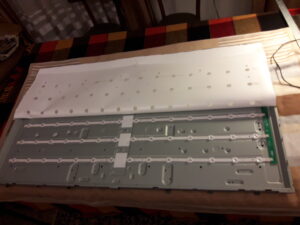
4. Backlight Failure
In modern LED, OLED, or LCD TVs, the backlight plays a crucial role in illuminating the display. If the backlight fails, the screen may appear black, but the TV might still be functioning.
Solution:
- Try shining a flashlight on the screen. If you can see faint images or text, it’s likely a backlight issue.
- In such cases, it’s best to call a professional technician to replace the backlight or fix any internal components.
5. Software or Firmware Issues
TVs, like other modern electronics, run on software. Sometimes, bugs, glitches, or outdated firmware can cause the screen to go black or display distorted images.
Solution:
- Check if there is a firmware update available for your TV model. Manufacturers often release updates to fix bugs and improve performance.
- Perform a soft reset of the TV by turning it off and unplugging it for 10-15 seconds.
6. Power Supply Problems
A malfunctioning power supply unit (PSU) inside the TV could be responsible for a lost image. The PSU may be failing to deliver the necessary power to the TV’s components, leading to a black screen.
Solution:
- Check the TV’s power cable and socket to make sure it’s securely connected.
- Try plugging the TV into a different outlet to rule out a power supply issue.
- If the issue persists, the internal power supply may need to be replaced by a professional technician.
7. Broken or Damaged Screen
In rare cases, the issue could be a physically damaged screen. If the TV has been dropped or impacted, the internal components might be damaged, which can cause a loss of image.
Solution:
- Inspect the screen for visible cracks, lines, or discoloration.
- If you notice any visible damage, the screen may need to be replaced, which is typically a job for a technician.
8. TV’s Internal Circuitry or Processor Failure
More complex internal failures in the TV’s circuitry or processor can lead to a blank screen. This could be due to faulty components, overheating, or wear and tear over time.
Solution:
- If you suspect an internal fault, it is best to contact a qualified repair technician. They can diagnose and replace faulty components as needed.
Conclusion
A lost TV picture can be caused by various factors, from simple cable issues to more complex internal failures. It’s important to follow the troubleshooting steps outlined above to identify the cause of the problem. If the issue persists, seeking help from a professional technician is recommended, especially if it involves internal components or hardware replacement.
By understanding the potential causes of a lost image, you can more easily pinpoint the problem and decide on the best course of action to restore your TV’s picture.