No Sound on the TV: Causes and Solutions
No Sound on the TV: Causes and Solutions
No Sound on the TV: Causes and Solutions
Televisions are an essential part of home entertainment, and when the sound stops working, it can be frustrating. Below are some common reasons why your TV might have no sound and how to fix them.
1. Muted or Low Volume Settings
Causes:
- The TV volume is set too low or muted.
- The remote control mute button was accidentally pressed.
What to do:
- Check if the TV is muted and increase the volume.
- Try using the TV’s physical buttons instead of the remote.
- Restart the TV and test the sound again.
2. Audio Output Settings Issue
Causes:
- Incorrect audio output selected (external speakers instead of TV speakers).
- Misconfigured sound settings in the TV menu.
What to do:
- Go to the TV settings and ensure the correct audio output is selected.
- If using external speakers, make sure they are properly connected and powered.
- Reset the sound settings to default.

No Sound on the TV: Causes and Solutions
3. Cable or Connection Problems
Causes:
- Loose or faulty HDMI, AUX, or optical cables.
- Damaged speaker wires.
What to do:
- Check and secure all audio cables.
- Try using a different HDMI port or a new cable.
- If using a soundbar or home theatre system, ensure proper connection.
4. Software or Firmware Issues
Causes:
- A recent software update may have caused a glitch.
- Outdated firmware affecting audio performance.
What to do:
- Restart the TV and check for software updates.
- If the issue started after an update, try resetting the TV to factory settings.
5. External Device Issues (Set-Top Box, Streaming Device, Console)
Causes:
- The connected device is not outputting sound.
- Audio settings on the external device are incorrect.
What to do:
- Check the audio settings on the connected device.
- Disconnect and reconnect the device.
- Try using a different input source or device to test sound.
6. Internal Speaker Damage
Causes:
- The TV’s built-in speakers may be damaged.
- Physical damage or wear and tear over time.
What to do:
- Test the sound using external speakers or headphones.
- If external audio works, the built-in speakers may need repair.
- Contact a professional technician if internal damage is suspected.
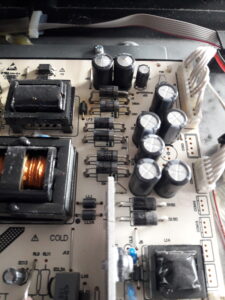
7. Hardware Failure
Causes:
- A faulty audio processing chip inside the TV.
- Power surge damage affecting sound components.
What to do:
- If no troubleshooting steps work, professional repair may be required.
- If the TV is under warranty, contact the manufacturer for support.
When to Seek Professional Help?
If you’ve tried all these solutions and the TV still has no sound, it may be a serious hardware issue. In such cases, contacting a technician or the manufacturer is the best option.
Conclusion
Sound issues on a TV can often be fixed by checking volume settings, cables, and audio configurations. If the problem persists, testing external audio or resetting the TV may help. However, for internal speaker damage or hardware failure, professional repair is recommended.